
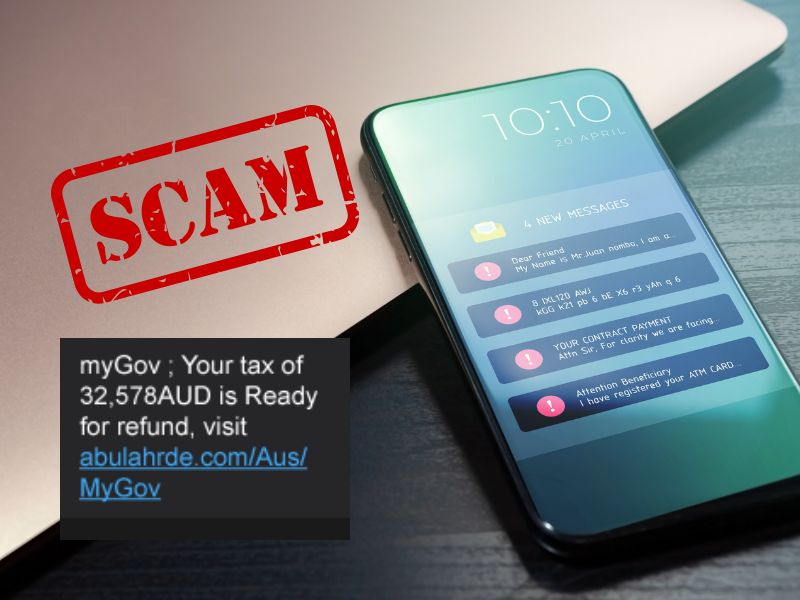
Why tax time creates an opening for scammers
During tax time, you expect messages about income statements, lodgments, refunds and debts. Scammers use that expectation. They copy government branding, create web addresses that look familiar and use personal details gathered from data breaches.
The message may say your refund is waiting, your bank details are wrong or a payment will fail unless you act now. The link opens a fake myGov page. If you enter your details, the scammer may gain access to your account, change refund bank details, lodge false claims or use your identity elsewhere.
Five signs that should make you stop
- an unexpected refund, debt or account warning
- a deadline designed to make you act before checking
- a link asking you to sign in, confirm a TFN or update bank details
- a request for passwords, sign-in codes, card details or remote access
- a payment request using cryptocurrency, gift cards or an unfamiliar account
A polished logo and correct spelling do not prove a message is real. Artificial intelligence makes it easier to create convincing emails, voices and websites. Check the request through a separate channel.
The risks for individuals and business owners
For individuals
A scammer may target your myGov login, tax file number, bank details or identity documents. They may redirect a refund, access linked services or make claims in your name.
For business owners
A compromised email or payroll account can expose employee records, supplier payments and super details. Fake ATO debts, invoice changes and refund offers may also target staff with payment authority.
Business controls matter. Require a second person to approve changes to employee or supplier bank details. Confirm payment requests using a known phone number. Limit access to payroll and tax records, and remove access when a staff member leaves.
How to check a tax message safely
- Do not click, reply or call the number in the message. Do not open an attachment.
- Sign in independently. Use the official myGov app or type my.gov.au into your browser and check your Inbox.
- Check with your accountant. RJS can confirm whether a request matches activity on your tax account.
- Verify with the ATO. If you remain unsure, call the ATO scam line on 1800 008 540.
What to do if you clicked or shared information
Act now. Do not wait to see whether money disappears.
- contact your bank immediately if payment or banking details were exposed
- open myGov directly and check sign-in history, linked services, devices and bank details
- change any affected passwords and replace reused passwords on other accounts
- use a passkey or Digital ID and review your multifactor authentication settings
- contact the ATO identity support line on 1800 467 033 if your TFN or personal information may be compromised
- tell your accountant so unexpected lodgments or account changes can be checked
If you see activity you do not recognise in myGov, follow myGov's account recovery guidance. Report cybercrime through ReportCyber and seek identity support through IDCARE where needed.
Unsure whether a tax message is real?
Pause before you respond. R J Sanderson & Associates can help you check a tax request against your account and guide your next step.
Speak to your RJS accountantGeneral information only. Current guidance: myGov scams, ATO scam safety and myGov suspicious activity guidance. Accessed 30 July 2026.